["Company"]
["Service"]
"0"
"0"
With an ITRS account, you can download our resources, such as the latest release of binary packages, or raise and manage your support tickets.
Where to go
To directly create an account with ITRS, please go straight to signup form
Alternatively, you may visit our Support site, and from there, click the Login button in the right-hand corner of the page.
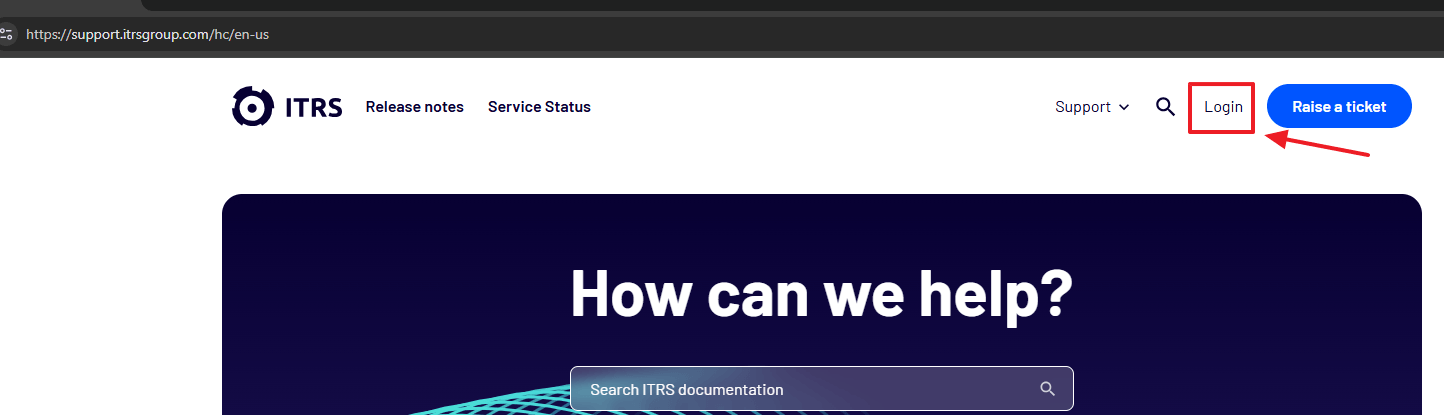
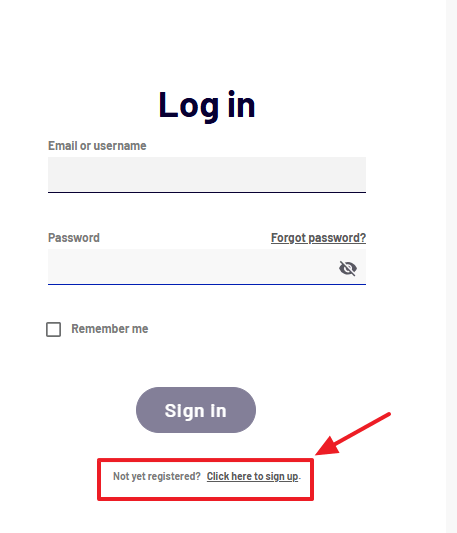
After doing so, choose and click on Click here to sign up
Signing up
Enter your details in the signup form, including your full name, company details, and corporate email address.
We ask that any account you create and request you submit must come from an email address that is associated with an individual in your organisation.
Due to GDPR, team or functional email accounts are not allowed.
Warning: Only customer email domains are valid. Do not sign up with your personal email address. Use the email provided by your company. |
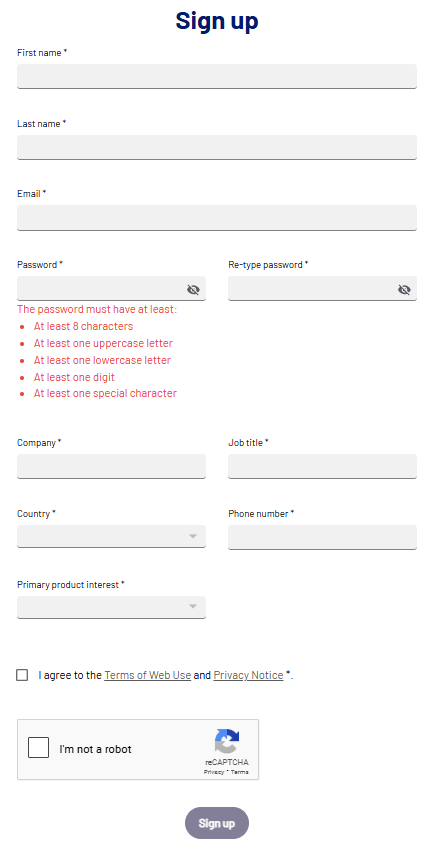
Once you have entered your details and agreed to the terms, click the Sign up button.
A verification email will be sent to the address you provided, which will contain a link that must be clicked within 72 hours to activate your account.
Having trouble?
Contact our support team at support@itrsgroup.com for help signing up.
Alternatively, on any part of our website, you can open a live chat with us using the Chat button at the bottom of the page, which looks like this: